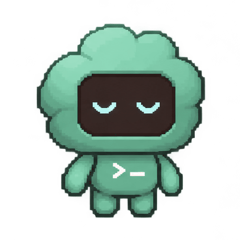
 Mochi
A desktop pet for Claude Code
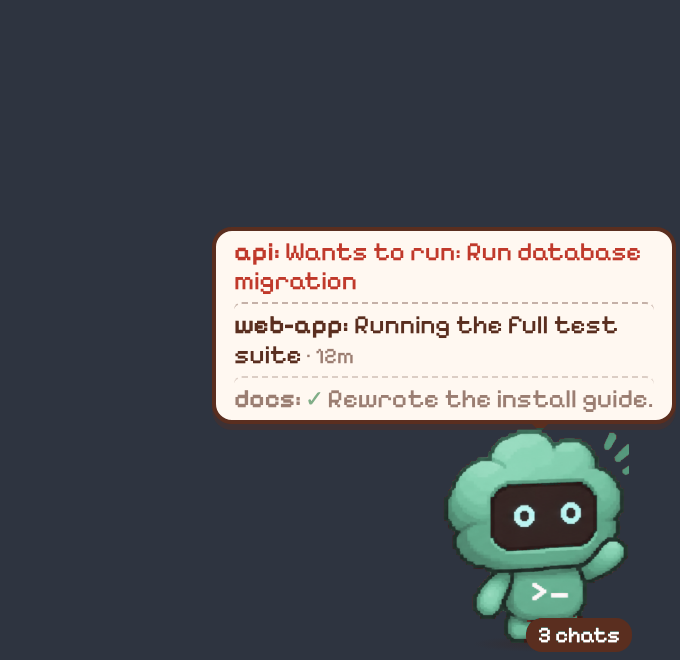
Mochi sits above your windows. It shows one line per Claude Code chat with what that chat is doing, and tells you when one of them needs you. Click a line to go to that chat.
It works through the hooks Claude Code already has, so it costs no Claude tokens.
Free to use. A one-time license unlocks the other skins, your own skins and (on Mac) Teammates.
What it shows
Claude is working
Mochi types on its laptop. The line shows Claude's latest sentence and, after a minute, how long it has been working.
web: Running the test suite · 12m
A chat needs you
A permission prompt, a question or a plan to approve turns the line red. Mochi bounces for 45 seconds, then waits quietly.
api: Wants to run: Run database migration
A chat finished
A tick and Claude's first sentence. If you were in another app, the line stays until you look, or for 15 minutes.
docs: ✓ Rewrote the install guide.
Nothing is going on
Mochi wanders, then naps. Subagents show up as mini Mochis until they finish.
How it works
- The first time it starts, Mochi asks to connect to Claude Code. That adds its hooks to your Claude Code settings and keeps a backup of the file. You can disconnect from its menu.
- The hooks pass Mochi short facts about each chat: the event, the tool name, a file name or command description. Not your prompts, file contents or command output. The exceptions: at the end of a turn, Claude's final message (for its first sentence), and the link and title of a GitHub PR that Claude opens.
- Everything Mochi reads stays on your computer. Once a day the app sends an anonymous check-in so I know how many people use it. You can turn it off in the menu: Share Anonymous Usage Count. The privacy page lists exactly what the check-in and a license send.
- Right-click the pet for the menu: skin, reminders, sounds, hide for an hour, reset position, start at login, quit.
Skins
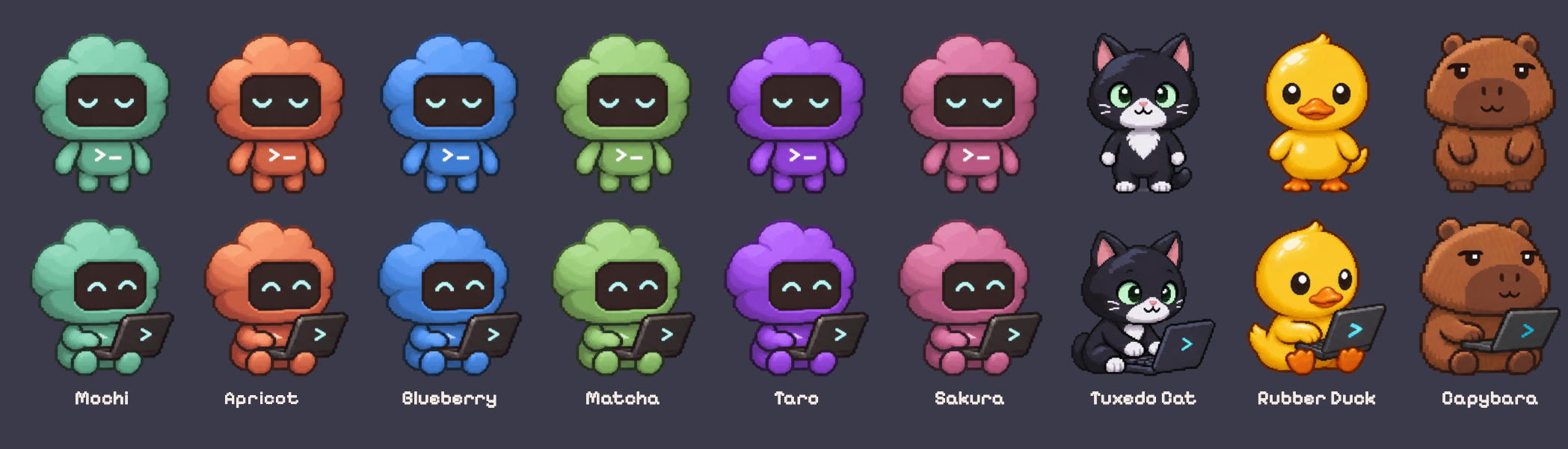
Nine built-in looks. Mochi, the mint robot, is free. The others come with a license, and so does using your own: drop a PNG with eight poses into the Skins folder.
Free and paid
There is no trial and no subscription. Use the free version as long as you like. Buy a license if you want the extras.
| Feature | Free | License |
|---|---|---|
| The pet, with one line per Claude Code chat | Yes | Yes |
| Click a line to go to that chat | Yes | Yes |
| Sounds when a chat needs you or finishes | Yes | Yes |
| Task reminders and self-care reminders | Yes | Yes |
| Connect to Claude Code, hide, reset position, start at login | Yes | Yes |
| The Mochi skin | Yes | Yes |
| The other eight built-in skins | No | Yes |
| Your own skins from the Skins folder | No | Yes |
| Teammates (Mac only): your pet takes a GitHub PR to teammates' screens on the local network | No | Yes |
| Online features, if they are added in a 1.x version | No | Yes |

$9
One payment. No subscription.
- All 1.x versions of Mochi
- Up to 3 computers, Mac or Windows
- 14-day refund, no questions asked (refund policy)
Payment is handled by Dodo Payments, the merchant of record. You get a license key by email. In Mochi's menu, choose Enter License Key and paste it. Activating needs an internet connection.
Requirements
- macOS 12 or later, or Windows 10 or 11.
- Claude Code, used in a terminal or an editor such as VS Code or Cursor.
- Mochi does not use your Claude account and does not need an API key.